Monday, December 07, 2009

On the 7th day of Christmas:-


Project 1 Seasonal CD/DVD cover/slip case.


Materials used:-

Cardstock
Patterned papers - Making Memories, Cosmo Cricket and Basic Grey
Embellishments - Making Memories, Cosmo Cricket and Basic Grey
Ink

Cut cardstock 25.7cm wide x 25.1cm high

Fold in half vertically, score and open

Rule a line at 12.7 cm high

Cut with a craft knife to the centre line
Now rule a diagonal line from the centre of this line to the top corner of the paper. This side should measure 25.1


Adhere the diagonal flap by placing double sided tape along the bottom and side edges.


Your cover is now made cover and it's time to embellish.

Project 2 Gift Idea - Bag Blingy Thingy


Materials used:-

Maya Road Sheer Tags
Metal ring
Ribbon
Kaisercraft bling
Prima bling
Papers & flocked stickers - Little Yellow Bicycle
Heidi Swapp alphas
Heidi Swapp verb stickers

For this project I looked through my stash for some tags. You can use all the same tags however I wanted to use all different shapes and sizes.

I hole punched each tag and threaded them on to the ring.

I tied some ribbon and trim to the ring. I opted for all different colours, styles and textures. I also made a small velvet yoyo by simply doing a running stitch along one side and pulling tight to form a circle.

At the front of my bag blingy thingy I have included a chipboard heart which I covered with Prima packaging and sanded. I covered my initial "k" with patterned paper, inked and covered with dimensional magic. I then adhered this to my heart chipboard piece on a diagonal.

Each page of the tag book I decorated differently. As each tag is sheer I was mindful of where I placed the double sided tape, papers and embellishments.


Even though this bag blingy thingy is for me (because I just loved how it turned out) I plan to make more as gifts.


Project 3 Boutique Bows


These gorgeous bows are quick and easy and can be used as present bows or hair bows.

Materials required:-

Ribbon
Ribbon width Ribbon length
1 1/4” Width 4” bow = 28”
7/8” Width 3 ½” bow = 22 ½”
For the examples I have used wire ribbon as the wire holds the bow's shape.
Embroidery floss
Jumbo salon clip
Lighter or fray stop (to seal the ends of the ribbon to stop fraying)


Mark the middle of the ribbon with a pen or pencil. This will not show once the ribbon is tied.


Make the top of the figure 8 placing the end of the ribbon over the top of the middle mark you made. The loop should look like an awareness ribbon loop. If you are leaving tails, leave the desired tail length past the center mark.


Make the bottom loop of the figure 8 just like you did with the top loop. Again, if you are leaving tails, allow them to go past the middle mark for the desired length.


Bring the top of the upper loop down to the center and hold in the middle cross area.


Bring the bottom loop up to the center and place over the middle cross area.


Secure the bow with a jumbo salon clip. Make sure it is a clip with a center opening to allow you to tie the bow in the next step.


Tie the embroidery floss and wrap around the center twice while the clip is still holding the folded ribbon.


Pull the embroidery floss tight and knot the center.


Thanks everyone for joining me today hoping you all enjoyed my projets.

Love Karen

Sunday, December 06, 2009

On The 6th Day of Christmas


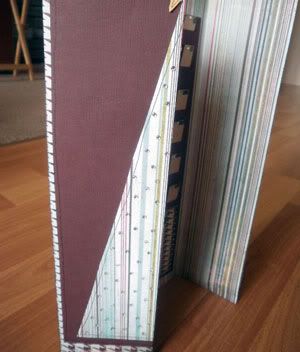
POST-IT NOTE HOLDER

~/~ A quick and easy gift for your child's teacher or your work colleagues. ~/~


The completed holder


The cover laying open to show the spine, front and back exterior.


The interior of the cover.


The interior complete with Post-It notes, pencil and loop.

SUPPLIES NEEDED:

1 - 4" x 7" heavy weight cardstock

3 - 3.75" x 3" contrasting cardstock or heavy weight pattern paper

3 - 2.75" x 3.5"

1 - 0.25" x 1" cardstock

1 - small pencil (like thee ones used for Keno!)

2 - 5" pieces of ribbon

1 - pack square Post-It notes

Embellishments of your choice for the cover


INSTRUCTIONS:

1) Place the 4" x 7" piece of cardstock horizontally on your work space (i.e. running longwise from left to right). Score cardstock 3.25" from each end.


2) Fold the cardstock along the score lines so as to form a 0.5" spine in the centre


3) Mat each of the 2.75" x 3.5" pattern paper pieces by adhering them to the 3" x 3.75" cardstock/pattern paper.


4) Adhere one of the matted pieces to the outside cover of the holder.

5) Adhere the two pieces of ribbon to the inside of the holder; each approx. 0.25" in from the edge and in the centre. One piece will be on the reverse of the front and the other will be on the inside of the back portion of the holder.


6) Adhere the remaining two pieces of matted paper to the inside of the holder so that the ends of the ribbons are covered.


7) Adhere the Post-It notes towards the top of the right side, inside the holder.


8) Use the 0.25" x 1" piece of cardstock and wrap it around the little pencil to make a loop. Now glue this loop immediately below the Post-It notes so that the pencil will run horizonatlly across the bottom of the holder.


9) Embellish the front cover.


All the products used in this sample have been generously provided by Michelle, the devine diva! I have used My Mind's Eye pattern paper; the prints are gorgeous and also it's thick enough to score and makes for a very sturdy holder.


The front cover features a delightful little Jenny Bowlin greeting card too. Catches the eye and is the perfect finishing touch to the gift.


Thanks for joining the Divas Christmas Extravaganza. I'm so looking forward to seeing your creations and your unique interpretations of this project. Hope you have fun with this!

Amanda


Friday, December 04, 2009

on the fifth day of christmas

Well today we will be looking at the countdown to christmas. I have two perpetual 'Advent' or 'Christmas Countdown' Calanders. Both are quick and easy and can be decorated however you like, using whatever bits and pieces you have available.


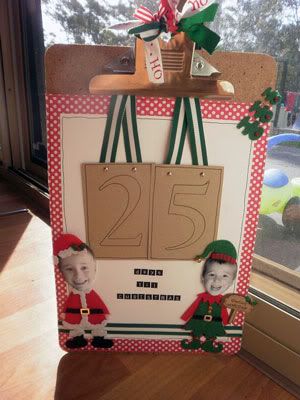
Calander One- Clipboard Countdown


Things you will need:
1 clipboard- whatever size you have, just change it to fit
1 patterned paper
2 coordinating C/S
scraps of coordinating ribbons
50cm piece of ribbon
mini letters
numbers- thickers, stamps, rubons or something to trace
spray adhesive


I am not going to use set measurments, so this can apply to any sized clipboard.


Measure and cut P/P to fit your clipboard, use spray adhesive to stick to the clipboard


The 1st C/s needs to be around 2cm smaller in length and width then the P/P. Centre this in the middle of the PP.


Use ribbon scraps to decorate the clip part of the clipboard


To make the number cards I have cut the 2nd C/S into rectangles- again choose a size that best fits your clipboard. You can either do enough cards for all the numbers or use both sides- 12 numbers all up (0,1,1,2,2,3,4,5,6,7,8,9).


For the numbers you could use thickers, stickers, rubons, or trace numbers onto the C/S

To hang the cards cut ribbon to fit your clipboard and attach to each card with brads. Each day when you need to change the numbers you just open the brad and put the next card on. Hang the cards from the clip


Add title- days until Christmas


DECORATING the clipboard. I have used pre-brought felt costumes. I got these from Kmart last year. These could be made from felt (by you clever people). Other ways would be with matching embellishments, flowers, a christmas scene. The ideas are limitless.... all up to your imagination. I would love to see some other ways from all you clever people!


Calander 2- Folded Calander


Things you will need
2 C/S 2 coordinating PP (double sided)
24 mini tags and envelopes ( i have an alternative if you dont have these)
24 matching brads
mini letters and numbers
30cm ribbon

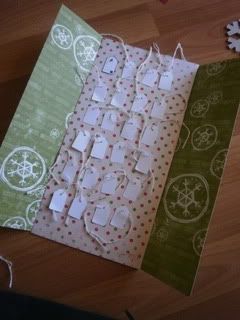
Take 1st piece of PP. Measure, score and fold at 8cm from each end of the paper, making two 'doors'.


Meaure and cut 2nd PP- 16cm x 32sm. This will fit onto the middle section of inside the first PP


Attach 24 mini envelopes with tags onto the 2nd PP using brads (4 on each line). Attach numbers 1-24 onto the tags. You could decorate the tags as you wish- I wrote litlle sayings/qoutes for each day. You could attach mini photos, stickers or words.


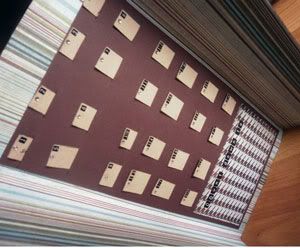
VARIATION Instead of tags I cut slits into the 2nd PP/C/S and made tags to fit into them. I then added numbers and wrote qoutes to be pulled out each day.


Attach a heading- Countdown to Christmas or 24 Days til Christmas etc.


Attach this page to the middle section of the first PP


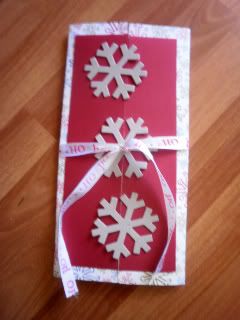
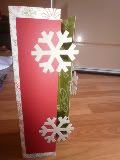
On the OUTSIDE I cut CS 27cm x 12. Then cut this in half and attched one half to each 'door'.


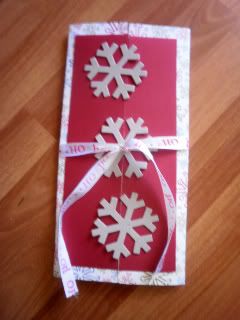
Decorate as you wish- I attached chipboard snowflakes to match the paper. You could use matching embellishments, flowers, hand cut a tree etc.


Tie with ribbon to secure closed.


Hope you all enjoy making some quick and easy Christmas decorations


Thursday, December 03, 2009

On the 4th Day of Christmas...

....I am starting to "explode" with excitement!

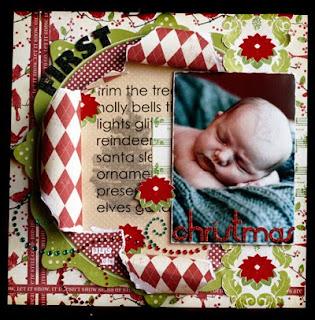
So, what better way to celebrate the anticipation of the silly season than with a LO that literally "explodes" off the page?

I have long been a fan of using Hybrid or Digi scrapping elements in my layouts, and in this project I have built in a Hybrid element for those of you who would like to include it in your own LO.

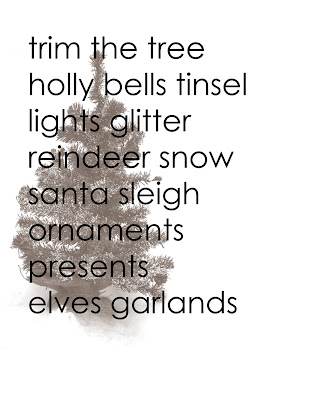
In the background of my "exploding" circle, there is some pre-printed Christmas wordart that you can use on your own project. I have saved this Wordart as a .jpeg file so that you can download it here. Simply right click with your mouse on the image and select "Save Image As.." in the pop up menu. Then open up Word and open the file again - ready to be printed :).
Print the wordart onto the back of the Christmas Tree paper (used in this Kit) through your standard printer at home. If you are not planning on using the Hybrid element, then simply leave your background blank, or even hand stamp some letters onto the background.


So, below you will see a series of pictures that correlate with my steps - simply follow them in order to produce your own exploding LO, lol.


Step 1:

If you are printing out the Hybrid worksheet, cut the Xmas tree paper to 8.5 x 11inches to fit through your printer (this is standard A4 size).
Step 2:

Flip it over and feed it into your printer so that it prints on the more "plain" side.

Step 3:

Once printed, leave it to dry for a few moments so that it doesn't smudge.

Step 4:

While you are waiting, trim around the outside of your Glitter musical note paper, as well as trim around the outer edges of the flocked poinsettia paper design (vertically). The music paper will be mounted across the right middle of the LO, and the poinsettia paper down the right hand side overlapping everything else (see below for pic).
Steps 5.1 and 5.2:

Use a dinner plate or large circle template to trace a circle onto the Argyle paper and cut out. Adhere with the Argyle paper facing OUT onto the back of the Die Cut scalloped cardstock.

Step 6:

Use a stencil knife to cut a small cross into the middle of the Die Cut cardstock.

Step 7:

Pull open the now cut edges from the middle of the Die Cut cardstock - be rough, as we will need to be rolling and folding these papers over. Stick some adhesive on the TOP of each torn corner, then fold these corners over and under and stick them onto the base.

Step 8:

Trim some small strips from your Christmas words paper and adhere them to the left edge and bottom edge of your LO. Then adhere your whole torn circle WITH the printed wordart at the back (see pic).

Now it is time to place your photo (I have mounted mine onto a piece of cardstock so that it can remain up off the surface). The photo gets adhered to the base of the LO overlapping the right edges of the torn circle.


Step 9:

The final step is to trim some of the flocked poinsettia flowers from the paper and use these as embellishments. Also add your title, following the curve of the Die Cut cardstock. You can also use your gems as flourishes across the bottom of your page - why not alternate your colours for a really traditional look?

Here is a photo of the LO as a final product:


I know it looks (and probably sounds!) like a lot of fiddling, but believe me when I say it's worth the effort :)

So well done everyone - a wonderful way to show off your photos and bring your page into the third dimension with lots of layering and texture.


Have fun creating, everyone!


Sares x


On the 3rd day of Christmas ...


On the 3rd Day of Christmas my Diva friends gave to me...


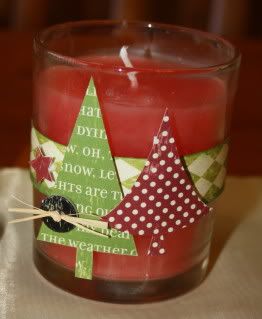
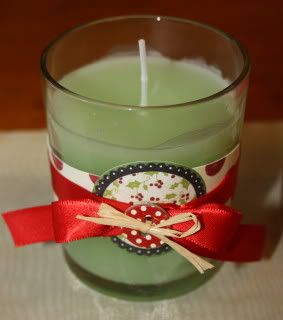
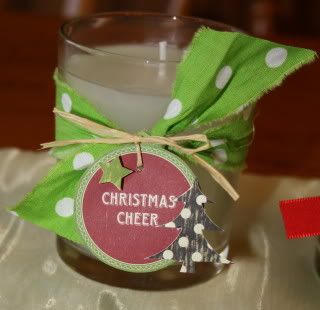
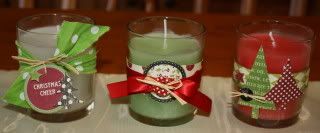
Candles looking very lovely...


These are a really quick & simple gift or decorating idea.

I have used the Making Memories Mistletoe range which is available from the Diva's shop.

I bought some candles (mine are in glass holders so that the paper won't burn!), wrapped them in a strip of patterned paper, and decorated with ribbon, raffia, Christmas trees, chipboard buttons and stars.

They took next to no time at all to make and are a nice little something for teachers, grandparents, etc. - although to be honest I like these so much that I am keeping them for myself!!!

Have a very Merry Christmas everyone.

Natalie

Wednesday, December 02, 2009

On the 2nd day of Christmas...

On the 2nd day of Christmas my Diva friends gave to me...

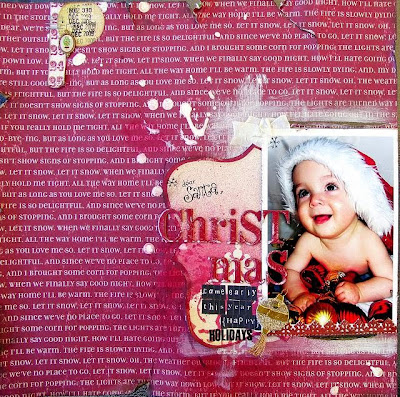
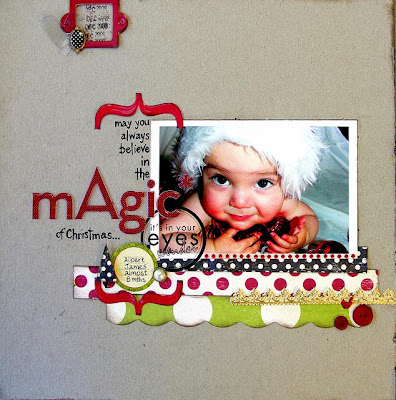
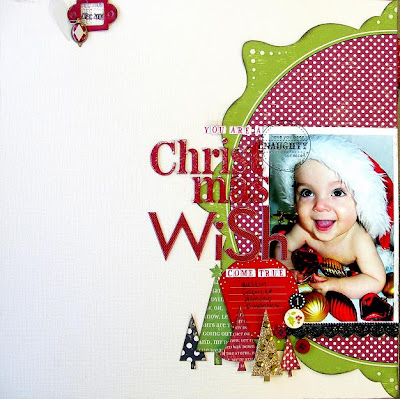
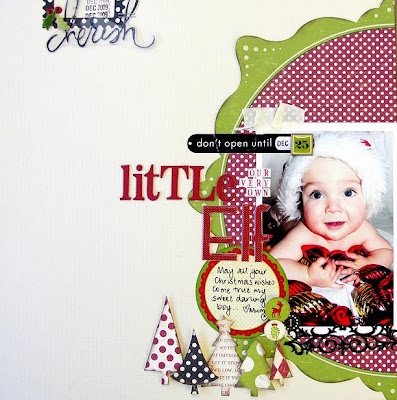
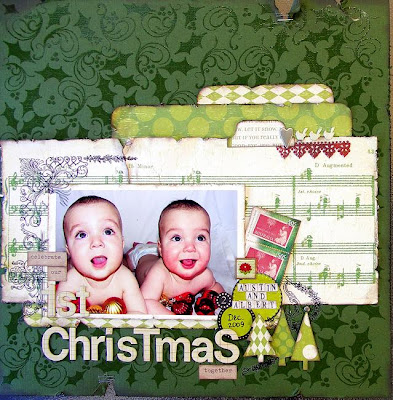
Lots of first Christmas LOs, a digi and a hybrid design too!!!!!
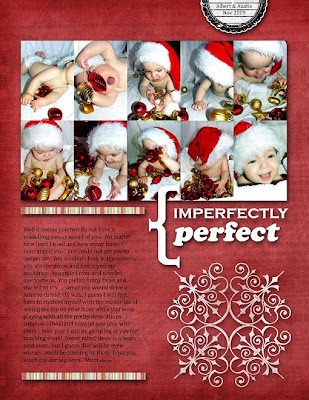
This year I decided to get in early to try and avoid the inevitable disappointment of not getting a decent "1st Christmas" photo of the new babies... THAT was my first mistake! After a flat battery, about 337 terrible photos, chewed and dribbled on props, a lopsided, scratchy Santa hat, a destroyed backdrop, two dropped lips and a screaming match (that was me) I gave up!

Thankfully there WERE 4 or 5 half decent ones among them and so armed with the gorgeous Making Memories Mistletoe range of papers, die cuts, stickers and brads I had an absolute ball creating my little guys' first Christmas pages. I wanted them to have similar but not exactly the same pages in their albums... so here is what I came up with. I hope you like them too.

I used lots of distressing, sanding, scrunching and inking to create a vintage-ish look on these pages. VersaColor Pinecone Ink is my MUST have item for "antique-ing" (is that a word?) papers and embellies. I like lots of layering and clustered embellishments on my LOs and I have been brave and used my own hand writing both for journaling and one of the titles.


My latest favourite little addition to my pages is a little tag / embellie combo in one of the top corners of my LO. I think I stole this little idea from Louise some time back... though it could have been a mish-mash of a few other designs I saw and liked and adapted as my own.
I have also used some Urban Lily rubons and a bit of Heidi Swapp stuff. I also got out the Cuttlebug and cut some acetate heart shapes from old scrap supply packaging. I then added a bit of Dimensional Magic here and there and some German Scrap Borders. I managed to find a few little Christmas type embellies (the postage stamps, the gold tree and decoration) amongst my stash of ephemera. Finally some Tattered Angels Red Velvet Glimmer Mist and paint and Bob's WAS my Uncle (my great uncle in fact but he passed away a few years ago now).


I used the new Embossed Bazzill as the background for this one and I especially love the Glitter Music Note paper.

Now, I am no expert in the field of digital scrap booking but I have had a few tries and I think I am hooked. Just call me a "wannabe" for now! My first foray into this medium began with a visit to pickleberrypop where I found some freebies and a start up pack with some EXCELLENT and very easy to understand instructions for beginners... I cannot recommend it highly enough.

Eidou is another great place to start with some gorgeous freebies to download and some very reasonably priced kits to get you started.

This is a very basic digital LO created using Adobe Photoshop Elements 7. Don't be too daunted... really if you just follow through it step-by-step it isn't all that difficult... trust me, a computer geek I am NOT! If you have any questions please ask in the forum and I will try my best to help.

The red background paper is Strawberry from a kit called "JUICY" from pixel dust designs by Gina Fensterer which I purchased at Eidou. The journaling tag at the top right is a scalloped spot from digiscraps by Deb (Debbie Fisher who can be contacted at debfscraps@yahoo.com.au). The strips of paper above and below the journaling is Paper 2 by Tara Dunstan Designs; the white snowflake-like stamp is Stamp 2 by Kate Fairlie (who can be contacted at katespaces@yahoo.com.au) and the title is word art by Victoria Greenlees at Chirpi Creative (who can be contacted at info@chirpi.co.uk). They are all from a collaborative kit called imagine create share which I purchased from pickleberrypop. I am not sure that it is still available but they have dozens of beautiful kits at very reasonable prices also.

To begin this LO I opened Adobe Photoshop Elements 7 and clicked on Edit. In the top left corner I clicked File > New > Blank File. From here in the pop up box that appears I named the file IMPERFECTLY perfect. I made the Width 8.5 inches and the Height 11 inches and made the Resolution 600 pixels/inch, the Color Mode RGB Color, the Background Contents Transparent. This creates your work surface.

Next I clicked File > Open > then on your computer find the paper and elements you want to use (I have a folder named Digital Scrapbooking Supplies with all my digi stuff in it) and double click on it. You can open several from one folder if you hold down the Ctrl key and click on each and then click open. Open the photo(s) you want to use in the same way. All your photos, papers and elements can now be seen in the bin under your work surface... much as if you had gone to your stash, pulled out your supplies and placed them on your desk ready to use.

Make sure you have chosen Full Edit (top right hand side) so that you can see all the tools on your left. Choose the Move tool (top left of the tool box) that looks like a little arrow icon with an arrow pointed cross next to it. Be sure there is a blue square around your transparent (grey and white checks) background and that it is showing in the main window. Next I simply clicked on the Strawberry paper and dragged it up onto my background, then I just pulled it to fit the space and clicked the green tick that appears to confirm.

Next step was to arrange all my photos to fit the space. Basically the same principle, just clicking and dragging and sizing them to fit. This step might take a bit of time if you use multiple photos as I have done... otherwise if you want to start simple just use a single photo. If you want to improve each of the photos individually do this before you place them on the background. Have a play around with different effects using the Enhance button at the top and see what you like. You can save these or not it is up to you. I usually save as a new file and keep the original as is.

With the paper strips I used above and below the journaling I basically cropped the original image (with the Crop Tool... if you hold you cursor over each of the tool buttons it will tell you what each of the are) then dragged them to where I wanted them on the main page, just as you would with real paper. Just remember DO NOT SAVE CHANGES when you close the original image so you can use it again.

For the journaling I used the Horizontal Type Tool (the icon looks like a T). Simply open a box by clicking and draging the cursor where you want your journaling. Next choose the font, size, colour etc from the tool box that has now appeared at the top of the main window. Then type your journaling.

With the word art I erased (using the eraser tool) the original words but left the curly bracket. I then opened a text box as above and altered the element to say "IMPERFECTLY perfect". Again, I dragged this element onto my background then when I closed it I clicked DO NOT SAVE CHANGES.

Next I dragged the journaling spot to where I wanted it, opened a text box and typed my words and date. This is a bit fiddly to get in just the right position so the words lined up with the lines on the element.

Next step was simply selecting and dragging the stamp where I wanted it and resizing (again dragging with the Move Tool) to fit the space.

One thing to remember as you are choosing and moving elements is to be aware of which tool you have selected. To select the element you want to work on simply click on it with the Move Tool. It will be shown with a blue dotted box. You can also select the layer from the right hand side in the Layers Pallet.

The last thing I did was to add a Drop Shadow to each element by selecting it then in the Effects Box (on the right hand side above the Layers Pallet) I clicked on Layer Styles (the second icon) then clicked Drop Shadows in the drop box. I chose Low (again hold your cursor over each button / icon to see what the are called) and clicked the Apply box (bottom right hand corner of same box). This gives each element a bit of depth and dimension making it look more "real".

Last thing is to save your creation. First of all I clicked Layer > Merge Visible then I go back and click Layer > Flatten Image. Then I clicked File > Save As > I created a folder in my documents folder called Digi LOs... then just enter your chosen name. I prefer to save mine as a JPEG image in the Format box... but you can find more informatin about this side of the process in the Free Start Up Pack I mentioned available at pickleberrypop. As I told you I am no expert and the technical side of digi scrapping is way beyond me! ;) From here I clicked Save and another pop up box appears... I changed the Quality to 12 and clicked OK. Done!

I think the best bit of advice I can give you regarding digital scrapping is to just have a play around with it... click on buttons and just see what they do. You won't break it... well I haven't so far anyway! ;)


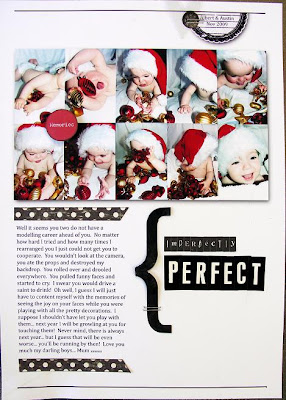
I also used that design to create this hybrid LO below by printing the photos, top tag and journaling onto an A4 size sheet of matte photo paper. I then added the Heidi Swapp ghost shape bracket (painted black on the back), Making Memories Mistletoe paper strips and sticker, the acetate heart, Collections icon, some staples and some alpha stickers for the title.


I DO like it... but I like the full digi version better! ;)

I hope you are well and truly in the festive spirit and that I have managed to inspire you to get some pre-Christmas scrapping started!

Lots of love and Christmas cheer to you and yours... AMC xxxooo

Monday, November 30, 2009

Welcome to Day 1 of our Christmas Extravaganza

Hello ladies and a big WELCOME to the Scrapbook Divas 12 Days of Christmas Extravaganza!!!


Michelle and all the Diva Designers, including our special guests, hope to spoil and inspire you over the next 12 days with lots of festive creations and ideas.


We hope you will join us here on the blog everyday for a new project, and chat with us HERE in the forum too.


So without further ado ...


On the first day of Christmas my true love gave to me ... recycled containers to put under the tree!


Ok, so perhaps my singing and rhyming isn't so great but I hope you like these ideas for Christmas Gift Giving. They are very cheap and cheerful and something a little different from the usual paper-wrapped box or parcel.


Step 1
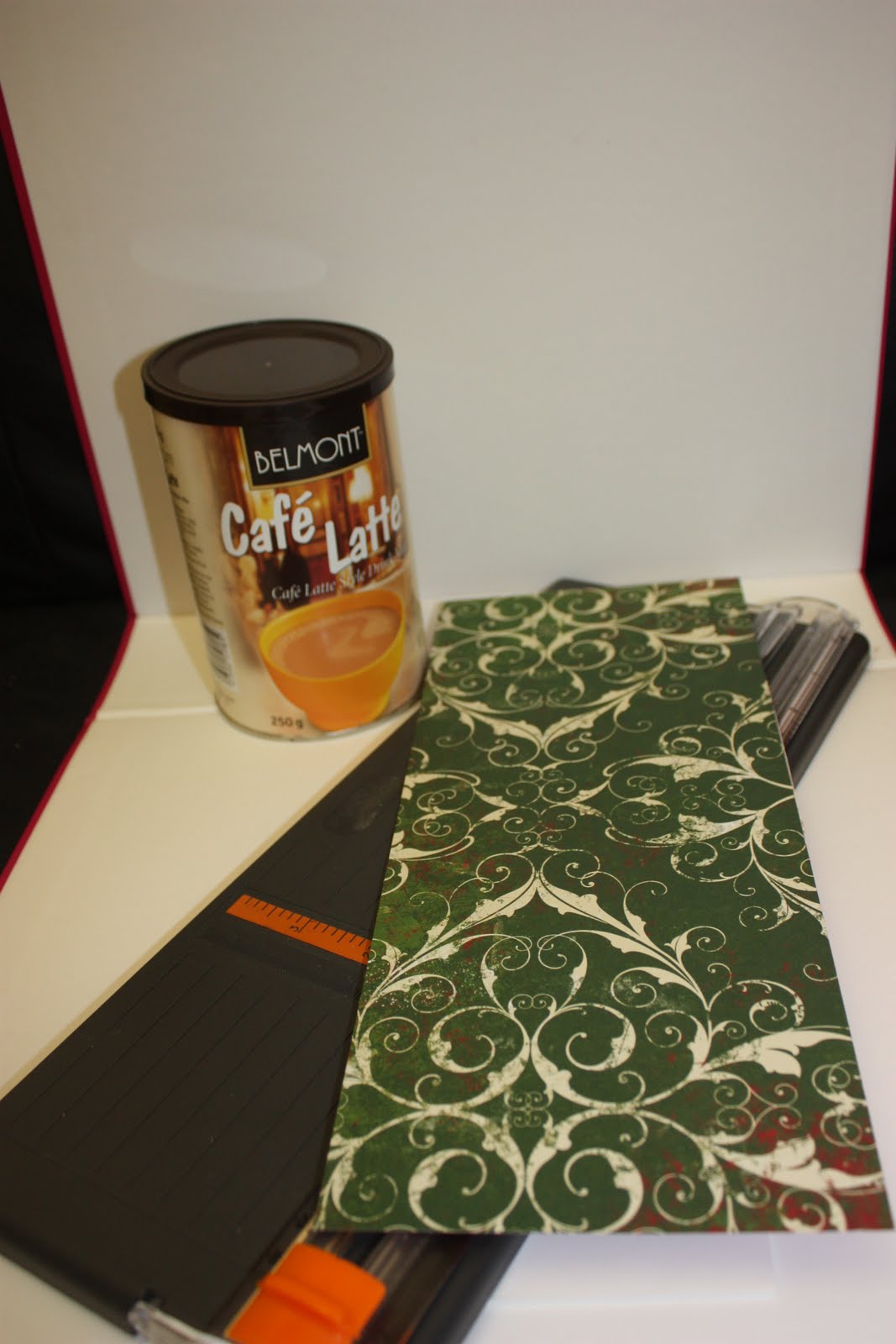
* Gather your supplies ... various containers like coffee cannisters, mint tins etc.
* Christmas scrapping papers, adhesives, ribbon, embellishments


Step 2
* Start by measuring the height of your chosen container and cut a strip of your patterned paper to fit
* Wrap it around your container and overlap the paper a little, then mark the join and cut off any excess length


Step 3
* Adhere your paper around your tin using either double sided tape, or a liquid/gel glue. I used PVA with a brush so there were no wet/lumpy spots
* Using a tissue or small piece of cloth, rub all over the paper so it is well stuck on your tin


Step 4
* Embellish your tin - be as simple or fancy as you like, depending on your available supplies
* Here I have simply put a strip of contrasting patterned paper, punched with my Fiskars border punch, and tied some Christmas ribbon around the middle - it is held in place with a couple of little pieces of d/s tape under it. Then I punched a scalloped circle as my tag and stuck on a gold Christmas sticker
* For the lid I cut a circle of matching patterned paper a fraction smaller than the diameter of the lid then used some cord stuck around the edge
* For the centre decoration you will need 4 punched scalloped circles. Lay the circle flat on the table in front of you and, counting around 5 scallops, fold it down. Turn it over so the folded edge is at the top of you. Using your thumb nail as a guide, find the middle of the folded edge and fold down each side to the middle point. You now should have a "v" shape at one end and the scalloped rounded edge at the other. Repeat with the other 3 circles. To make the "flower" put the pointed ends in towards the centre and adhere - it may help to stick them on another small circle as its base. Decorate the centre of your "flower".


You're all done!!! Fill the tin with your gift - it could be something as simple as chocolates or homemade shortbread wrapped in celophane. What about rolling up socks/jocks/boxer shorts for Dad ... or pens/pencils for the kids ...

You are only limited by your imagination and the sizes of your containers.


This would make a great little gift for teachers and the like. It's inexpensive, you're doing your bit for the environment (recycling) and it looks wonderful. It's also a great way to use up your older Christmas scrapping goodies.

PS. Although it doesn't show in the photos, I have run clear Kindyglitz over all the swirls on the patterned paper, just to add some extra sparkle.

***************

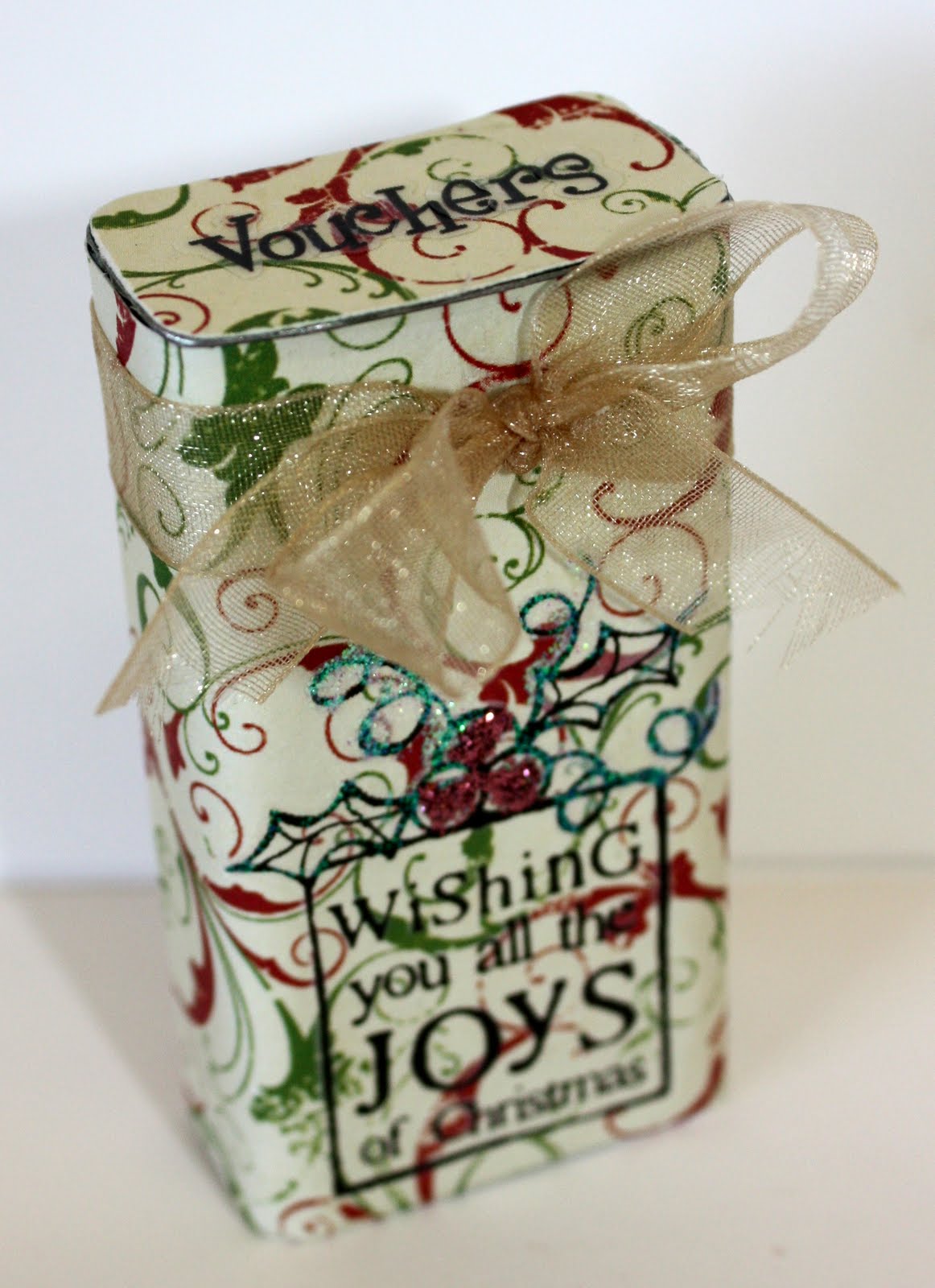
Here's another idea ... a little tin of vouchers. I have made this for my children and I to give to their father, but you could adapt it to suit anyone, young or old.

Step 1
* Gather your supplies - these mint tins are just so cute and a great size
* Christmas scrapping papers, ribbon, rubons, embellishments

Step 2
* As with the first project, cut your paper to size and adhere. You will also need to cut a piece for the top of the tin
* To get your edges nice and clean, once the glue is dry, use your file along the edges which will "tear" away any little bits overhanging leaving a neat edge
* Embellish your tin - I have used rubons, kindyglits and ribbon

Step 3
* Making your vouchers - Cut your paper to fit inside the tin (you could round the corners if you like)
* Type and print your vouchers -eg. free hugs, free kisses, free massage, free beer, a night off the BBQ ... be as creative or simple as you like
* Put your vouchers together, embellish if you like, and hold with a brad in one corner


And here is your cute little novelty gift for a loved one. Hope you like it.